Articles
Switching to Mac: Confessions of a Windows Power User
After decades of working with Windows, I decided to give Apple’s ecosystem a serious chance. Was it better creative performance,…

After decades of working with Windows, I decided to give Apple’s ecosystem a serious chance. Was it better creative performance, the promise of running AI locally, or simply curiosity getting the better of me?
I’ve spent most of my professional life working with Microsoft technologies.
From early versions of Windows to Windows 11, from on-premises servers to Microsoft Azure, the Microsoft ecosystem has been a constant companion throughout my career.
Windows was more than an operating system. It was my comfort zone.
I knew where to find things, how to troubleshoot problems and, occasionally, how to convince Windows to behave itself!
So why, after all these years, did I buy a MacBook Pro?
Three things caught my attention: photography, video editing and the fascinating possibility of running AI models directly on my laptop.
The third was particularly intriguing.
The problem wasn’t Windows
Before my Windows-loving friends question my loyalty, let me clarify something.
I didn’t switch because Windows had suddenly become unreliable or incapable.
My Surface Book 3, equipped with an i7, 32GB RAM and a dedicated NVIDIA GPU, has served me well.
For everyday applications such as Microsoft 365, Power BI and Visual Studio Code, Windows remains an excellent platform.
However, my computing needs have evolved.
As a photography enthusiast, I regularly work with high-res RAW photographs captured using my Sony A1ii and A7iv.
Processing these large images, particularly with Lightroom Classic’s AI Denoise feature, can be demanding.
I also occasionally edit 2K and 4K videos, where rendering and exporting test the patience of both the computer and its owner!
My Surface Book 3 was beginning to show its age.
AI Denoise could take nearly two minutes per photograph, while exporting longer videos sometimes required several hours.
It wasn’t necessarily a Windows problem. My workloads had simply outgrown the hardware.
My first Apple Silicon surprise
Before purchasing my new MacBook Pro, I experimented with an older MacBook powered by Apple’s M2 processor and just 8GB of memory.
On paper, this looked rather modest compared with my Surface Book 3.
But the results surprised me.
Some Lightroom AI Denoise operations that took nearly two minutes on my Surface Book 3 completed in approximately 10 to 15 seconds on the M2 Mac.
This wasn’t a scientific benchmark. Different processors, graphics architectures and software optimisations can significantly influence performance.
Nevertheless, the difference was hard to ignore.
How could a relatively modest laptop perform so impressively?
That experience sparked my interest in Apple Silicon. And as I explored further, I discovered something equally fascinating.
Its potential for running AI models locally.
Apple Silicon: More than just a powerful processor
Most of us are familiar with AI services such as ChatGPT, Claude and Gemini.
These services typically process our requests on powerful servers operated by their providers.
But what if you could run a capable AI model directly on your laptop?
No continuous internet connection, no sending every prompt to an external server, and potentially greater control over your data.
This possibility drew my attention to one of Apple Silicon’s interesting features: unified memory.
What makes unified memory different?
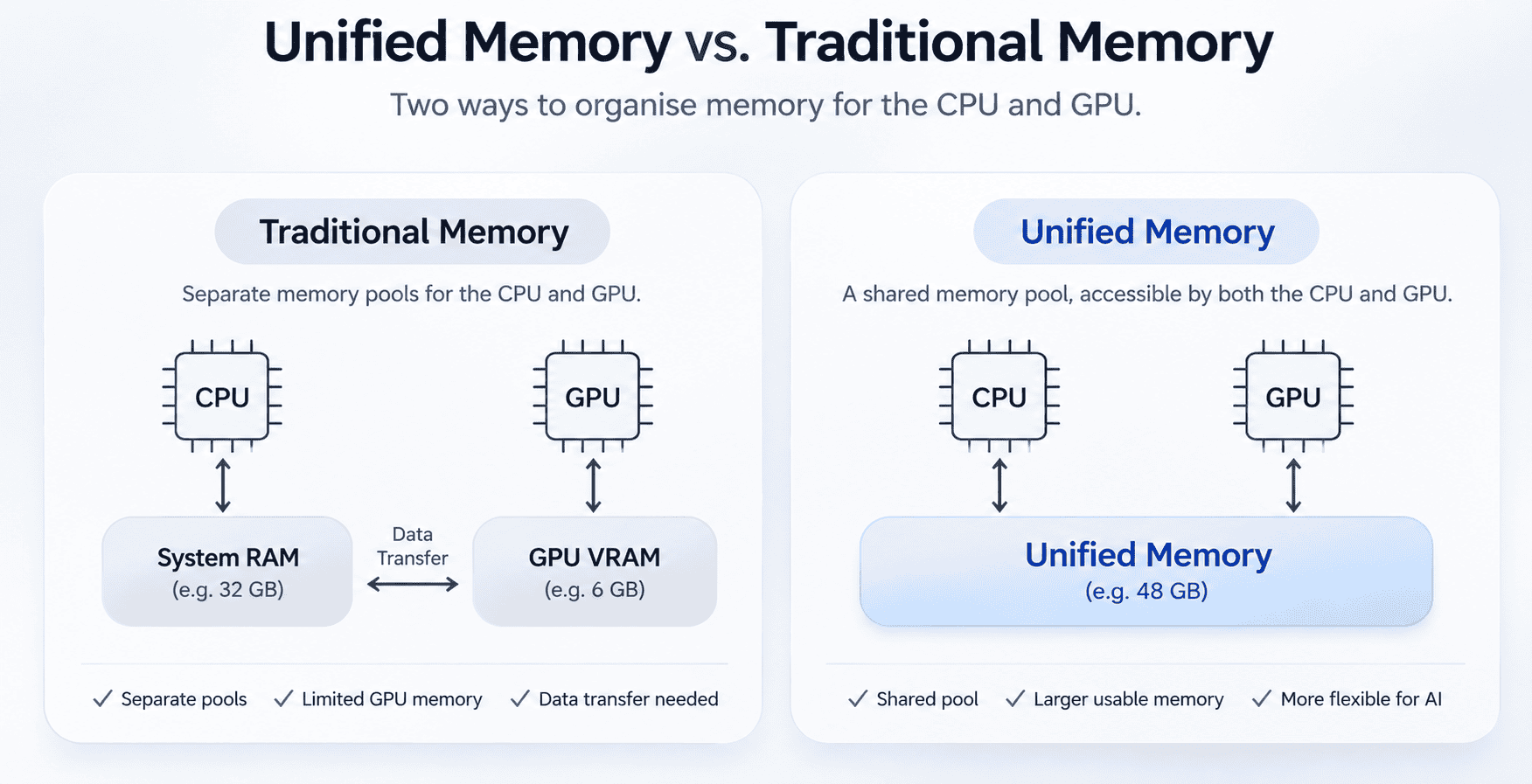
In a conventional computer with a dedicated graphics card, the processor (CPU) and graphics card (GPU) typically have separate memory pools.
For example, a Windows laptop might have 32GB of system RAM but only 6GB of dedicated graphics memory.
That 6GB can become a limitation when running larger AI models on the GPU.
Apple Silicon approaches this differently.
Its CPU and GPU share a common pool of memory, allowing supported applications to work with larger models without being restricted to a small, separate graphics memory allocation.
Think of it as having a shared workspace instead of two separate rooms with limited space.
Of course, unified memory isn’t magic. The operating system and other applications also need their share, and high-end NVIDIA GPUs can deliver considerably better performance for demanding AI workloads.
But having a large shared memory pool in a compact, power-efficient laptop opens up some interesting possibilities.
And that brings me to another reason for my switch.
Exploring AI beyond the cloud
Having spent decades leading technology initiatives and recently completing my Master’s in Data Science, I’m naturally curious about what AI can deliver beyond the familiar ChatGPT interface.
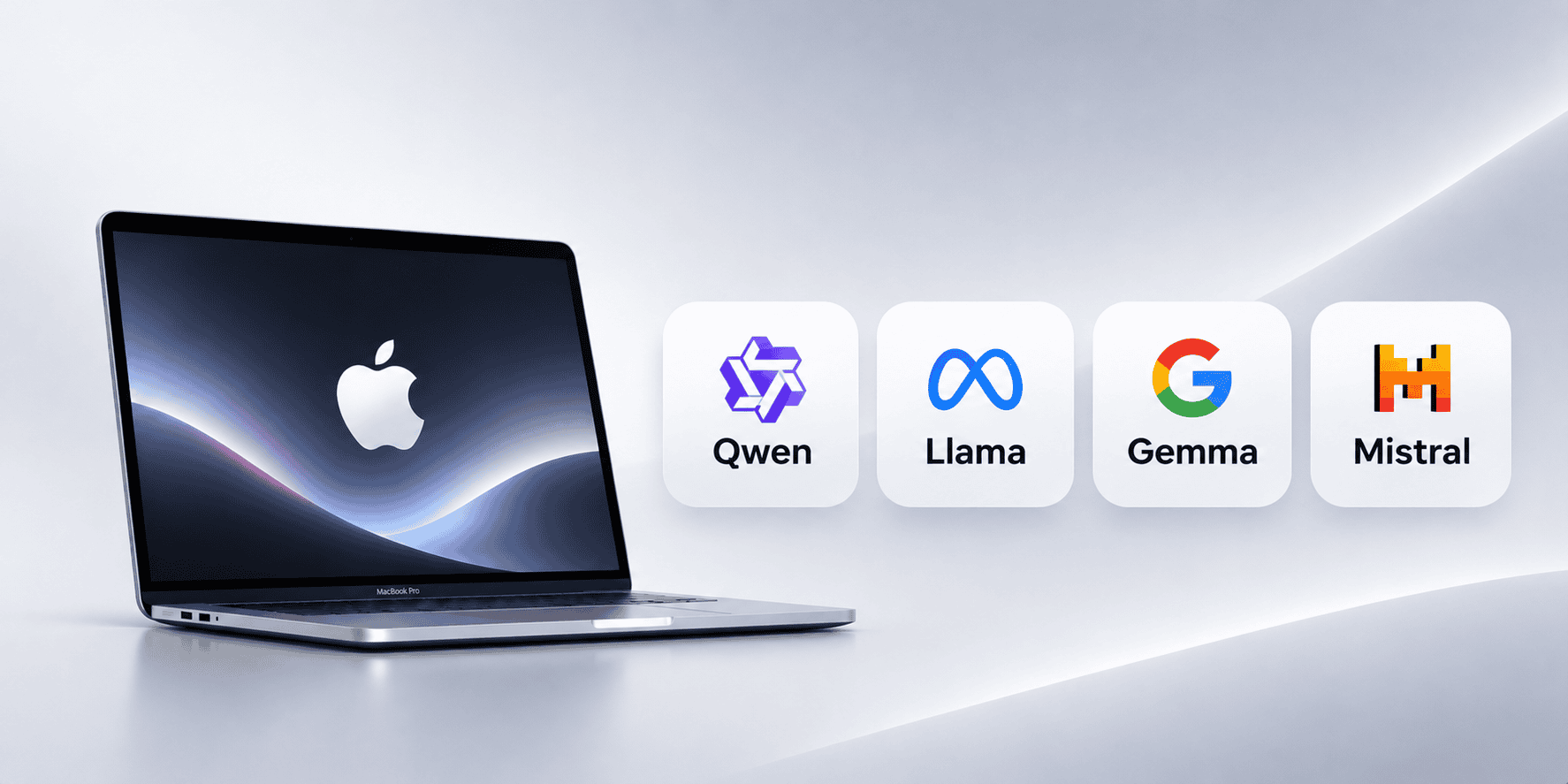
AI models such as Qwen, Llama, Gemma and Mistral are available in versions that can run directly on personal computers.
With 48GB of unified memory, my MacBook Pro offers an opportunity to explore several of these models without relying entirely on cloud services.
And thankfully, tools such as Ollama and LM Studio make this possible without turning my evenings into programming marathons!
Why does local AI interest me?
My interest is about understanding the technology well enough to recognise where it can genuinely create business value.
Could locally hosted AI help businesses analyse documents, explore data or build internal knowledge assistants?
Could it offer better privacy, greater flexibility or lower costs for certain applications?
These are questions worth exploring, particularly for small and mid-sized organisations.
Naturally, running AI locally isn’t automatically cheaper, faster or more secure. Hardware limitations, model quality and data protection still matter.
I’m certainly not expecting my MacBook Pro to outperform massive AI data centres.
But the prospect of experimenting with capable AI models on a laptop, without paying for every experiment, is appealing.
For me, it’s not about building the next ChatGPT. It’s about understanding what AI can realistically do, where it makes business sense and where the hype gets ahead of reality.
Enter the MacBook Pro M4 Pro
After comparing several options, including the Mac mini and Mac Studio, I finally settled on a refurbished 16-inch MacBook Pro.
Here’s what I chose:
- Apple M4 Pro with 14-core CPU and 20-core GPU
- 48GB unified memory
- 512GB SSD storage
- 16-inch display
The purchase wasn’t inexpensive. In fact, it stretched my original budget rather generously!
But I was looking for a machine that could support my evolving interests in photography, video editing, technology exploration and local AI.
The 48GB memory configuration was a deliberate choice.
While I can easily expand storage using an external SSD, the MacBook’s unified memory cannot be upgraded later.
I wanted enough headroom to explore AI models without running into memory limitations too quickly.
The learning curve: Old habits die hard
Of course, buying a powerful MacBook is one thing.
Learning to use macOS after decades of Windows is quite another.
My biggest challenge wasn’t performance.
It was muscle memory.
Copy and paste suddenly required Command instead of Control.
File Explorer became Finder.
Application windows behaved differently, and even familiar file operations needed a little relearning.
I found myself searching online for basic shortcuts I could perform with my eyes closed on Windows.
A humbling experience for someone who has spent most of his career managing technology!
Finder versus File Explorer
File management deserves a special mention.
Over the years, I’ve become comfortable with Windows drive letters, folder structures, file properties and network locations.
Finder offers similar capabilities, but the approach feels different.
My Lightroom Classic migration was a good example.
I transferred my photo catalogue and RAW images from Windows to macOS, only to discover that moving files was just part of the exercise.
Lightroom also needed to recognise their new locations.
Nothing particularly complicated, but another reminder that changing operating systems involves more than learning new shortcuts.
Sometimes, even your applications need directions to their new home!
Where macOS has impressed me
A few things stand out from my experience so far.
Creative performance: Apple Silicon provides an attractive combination of processing power and efficiency for photography and video editing.
Unified memory: The shared memory architecture makes experimenting with local AI models particularly interesting.
Battery life and efficiency: Having substantial processing power in a relatively portable, energy-efficient machine is a welcome advantage.
Hardware and software integration: Apple’s close integration of hardware and operating system contributes to a refined computing experience.
The Apple ecosystem: macOS offers a different approach to everyday computing, with some thoughtful features that I’m gradually learning to appreciate.
Of course, no platform is perfect, and not every application performs better on a Mac.
Which brings me to the other side of the story.
Where Windows still wins for me
Moving to macOS hasn’t made my Windows experience irrelevant.
Far from it.
Many of the enterprise applications I use remain closely associated with Microsoft’s ecosystem.
Power BI Desktop, for example, remains a Windows application.
Certain enterprise administration tools, business applications and development environments are also more convenient on Windows.
While Windows can run in a virtual machine on Apple Silicon, compatibility and licensing considerations remain.
And for demanding AI workloads, Windows or Linux computers equipped with powerful NVIDIA GPUs can offer significant performance advantages.
So I don’t see this as abandoning Windows.
Rather, I’m expanding my computing environment to enjoy the strengths of both platforms.
After all, technology doesn’t demand lifelong loyalty to one operating system!
An unexpected benefit: Becoming a beginner again
Perhaps the most valuable lesson from this experience has little to do with processors, memory or operating systems.
It’s about perspective.
When you’ve worked with one technology for decades, familiarity becomes second nature.
You know the shortcuts, understand the quirks and develop ways to get things done efficiently.
But that familiarity can also make it difficult to appreciate alternative approaches.
Moving to macOS has forced me to question some long-held habits.
More importantly, it has reminded me what learning unfamiliar technology feels like.
As technology leaders, we regularly introduce new applications, processes and systems into our organisations.
What looks like a small improvement to the IT team may require employees to unlearn years of familiar habits.
Experiencing that discomfort myself has been a useful reminder.
Digital transformation isn’t just about introducing better technology. It’s also about helping people become comfortable using it.
So, am I a Mac convert?
It’s still too early to declare a winner.
Windows remains an important part of my professional computing environment.
But Apple Silicon has certainly opened up possibilities that I find exciting.
Photography and video editing initially attracted me to the platform. The opportunity to explore AI models locally gave me another compelling reason to invest in it.
I’m particularly curious to discover how far my MacBook Pro can take me with models such as Qwen and whether locally hosted AI can offer practical value to businesses.
Not every experiment will produce a breakthrough, and that’s perfectly fine.
For someone who has spent a career exploring and applying technology, curiosity is often the beginning of something worthwhile.
The best technology isn’t necessarily the one we’ve used the longest. It’s the one that continues to expand what we can do.
For now, I’m enjoying my journey into macOS and Apple Silicon.
Although, after all these years, my fingers still occasionally reach for the Control key!
- #MacBook Pro
- #MacOS
- #MacOS 27
- #Surface Book 3
- #Windows
- #Windows 11
Found this useful? Share it.
Related reading

Articles5 min read
NVIDIA, Jensen Huang and the Danger of the Irreplaceable Leader
When a company’s success revolves around one extraordinary individual, is that its greatest strength or its biggest vulnerability? For more…

Articles3 min read
Microsoft 365 Outage: Is Your Business Entitled to Compensation?
The November 2026 Microsoft 365 outage disrupted businesses worldwide. Here’s how small and mid-sized businesses can check their eligibility, estimate…

Articles10 min read
Friday the 13th, When the Cloud Goes Dark
And When Microsoft 365 Took an Unplanned Holiday One of the world’s most trusted cloud platforms went down, leaving businesses…